
BUGSPOTTER

How to use Tableau for Data Visualization ?

Tableau for Data Visualization

Untitled design (7)

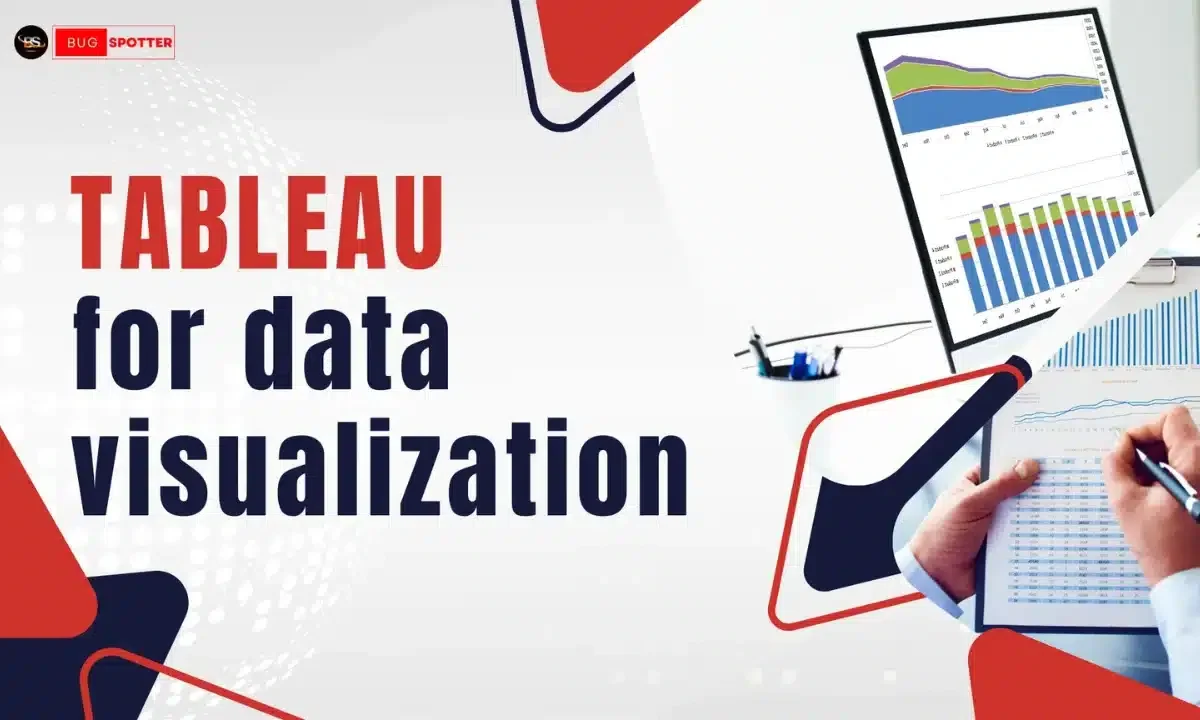
Tableau for data visualization is a tool that enables users to transform raw data into interactive and insightful visual representations. Its intuitive interface allows both beginners and experienced analysts to create compelling visualizations that facilitate data-driven decision-making. 

Getting Started with Tableau for Data Visualization

Connecting to Data Sources

Tableau supports a wide range of data sources, including spreadsheets, databases, and cloud services. To connect to a data source:

  1. Launch Tableau: Open Tableau Desktop.
  2. Connect to Data: On the start page, under “Connect,” select the type of data source you wish to connect to (e.g., Microsoft Excel, SQL Server).
  3. Select Data Source: Navigate to and select your data file or server.
  4. Load Data: Once connected, Tableau will display the data fields in the Data pane, categorized into dimensions and measures.

Creating Your First Visualization

After connecting to your data source:

  1. Open a New Worksheet: Click on the “Sheet” tab at the bottom.
  2. Drag and Drop Fields: Drag dimensions (categorical data) to the Rows shelf and measures (numerical data) to the Columns shelf.
  3. Select Visualization Type: Use the “Show Me” panel on the right to choose a chart type that suits your data.
Chart Type Usage
Bar Chart Compare categorical data
Line Chart Show trends over time
Pie Chart Display proportions
Scatter Plot Show relationships between variables
Histogram Display frequency distributions

1. Bar Chart

Ideal for comparing data across categories.

Use Case: Comparing sales figures across different regions.

How to Create:

  • Drag a dimension (e.g., Region) to the Rows shelf.
  • Drag a measure (e.g., Sales) to the Columns shelf.
  • Select the bar chart icon from the “Show Me” panel.

2. Line Chart

Useful for displaying trends over time.

Use Case: Visualizing monthly sales growth.

How to Create:

  • Drag a date field to the Columns shelf.
  • Drag a measure (e.g., Sales) to the Rows shelf.
  • Select the line chart icon from the “Show Me” panel.

3. Scatter Plot

Shows the relationship between two continuous variables.

Use Case: Analyzing the correlation between advertising spend and sales revenue.

How to Create:

  • Drag one measure to the Columns shelf and another to the Rows shelf.
  • Select the scatter plot icon from the “Show Me” panel.

4. Pie Chart

Represents data as proportions of a whole.

Use Case: Displaying market share by product category.

How to Create:

  • Drag a dimension to the Rows shelf.
  • Drag a measure to the Columns shelf.
  • Select the pie chart icon from the “Show Me” panel.

5. Map

Visualizes data geographically.

Use Case: Mapping sales performance by state.

How to Create:

  • Drag a geographic dimension (e.g., State) to the Rows shelf.
  • Drag a measure (e.g., Sales) to the Columns shelf.
  • Select the map icon from the “Show Me” panel.

Formatting and Enhancing Visualizations

1. Using Colors Effectively

Colors can highlight key insights but should be used purposefully:

  • Consistent Palette: Use a consistent color scheme to avoid confusion.
  • Highlighting: Use contrasting colors to emphasize important data points.
  • Accessibility: Ensure color choices are accessible to all viewers, including those with color vision deficiencies.

2. Incorporating Tooltips

Tooltips provide additional context when hovering over data points:

  • Customization: Click on “Tooltip” in the Marks card to edit the information displayed.
  • Formatting: Use formatting options to make tooltips clear and informative.

3. Adding Filters

Filters allow users to interact with the data:

  • Adding a Filter: Drag a field to the Filters shelf.
  • Displaying Filter Controls: Right-click the field on the Filters shelf and select “Show Filter” to display filter options on the visualization.

4. Creating Dashboards

Dashboards combine multiple visualizations:

  • New Dashboard: Click on the “New Dashboard” tab at the bottom.
  • Adding Sheets: Drag existing worksheets onto the dashboard canvas.
  • Arranging Layout: Adjust the size and position of each visualization for a cohesive design.

Frequently Asked Questions

1. Is Tableau free?

Tableau Public is free, but it has limitations like public sharing. Tableau Desktop and Server are paid tools.

2. Can I use Tableau without coding?

Yes, Tableau is designed for non-technical users. However, knowledge of SQL and scripting can enhance functionalities.

3. What file formats does Tableau support?

Tableau supports Excel, CSV, JSON, SQL databases, and various cloud data sources.

4. How do I update my dashboard with new data?

If using a live connection, data updates automatically. For extracts, refresh the extract in Tableau.

5. Can Tableau handle big data?

Yes, Tableau integrates with big data platforms like Hadoop, Google BigQuery, and AWS Redshift.

6. How do I create an interactive filter?

Drag a field to the Filters shelf, then right-click and choose “Show Filter.”

7. Can I use Tableau for predictive analytics?

Yes, using forecasting, trend lines, and integrating with R/Python for advanced analytics.

Tableau for Data Visualization

Tableau for data visualization is an excellent tool , enabling users to create compelling dashboards with minimal effort. By understanding the basics, exploring advanced charts, and optimizing performance, users can unlock valuable insights from their data. Whether you’re a beginner or an experienced analyst, mastering Tableau will enhance your data storytelling skills.

Latest Posts

Top Playwright Interview Questions for Accenture (2026 Guide)

Accenture hires heavily for automation testing roles, and Playwright has become one of the most in-demand skills on their QA and SDET job postings. If you have an interview coming up, this guide walks through the questions candidates most commonly report from Accenture’s automation testing rounds — from basics to advanced framework design. Accenture interviews for Playwright roles usually happen in 2–3 rounds: a technical screening (fundamentals + coding), a hands-on/framework design round, and sometimes a client-facing round focused on real project scenarios. Below are the questions grouped by that structure. Round 1: Playwright Fundamentals 1. What is Playwright, and how is it different from Selenium? Be ready to talk about: 2. What programming languages does Playwright support? JavaScript/TypeScript, Python, Java, and .NET (C#). Mention which one you used on your projects — Accenture teams commonly use TypeScript or Java depending on the client stack. 3. How does Playwright’s auto-waiting mechanism work? Playwright automatically waits for elements to be actionable (visible, stable, enabled, receiving events) before performing an action, eliminating most flaky sleep() or manual wait calls that plague Selenium scripts. 4. What are Locators in Playwright, and why are they preferred over Selectors? Locators are lazy — they don’t query the DOM until an action is performed, and they auto-retry until the element is ready. This makes tests more resilient to timing issues compared to storing a static WebElement reference. 5. Explain the difference between page.locator(), getByRole(), getByText(), and getByTestId(). Know when to use each — interviewers often check if you follow accessibility-first locator strategies (getByRole) over brittle CSS/XPath selectors. Round 2: Hands-On / Coding Questions 6. How do you handle multiple tabs or windows in Playwright? Talk through the context.waitForEvent(‘page’) pattern to capture a newly opened tab and interact with it. 7. How do you handle iframes in Playwright? Using frameLocator() to scope actions inside an iframe without manually switching context like in Selenium. 8. How do you perform API testing using Playwright? Playwright’s request context lets you make GET/POST/PUT/DELETE calls directly — useful for setting up test data or validating backend responses alongside UI tests. This is a favorite Accenture question since many projects combine UI + API validation in one framework. 9. How do you handle file uploads and downloads? setInputFiles() for uploads; page.waitForEvent(‘download’) for downloads, followed by saving the file and validating it. 10. Write a script to validate a login flow and assert a success message. Expect a live coding exercise. Structure your answer with clear locators, an assertion library (expect), and mention using Page Object Model (POM) for maintainability. 11. How do you handle dynamic waits for elements that take time to load (e.g., after an API call)? Discuss waitForResponse(), waitForLoadState(), and auto-retrying assertions (expect(locator).toBeVisible()), rather than hardcoded waits. Round 3: Framework Design & Real-World Scenarios 12. How would you design a Playwright automation framework from scratch for an enterprise project? This is a big one at Accenture. Structure your answer around: 13. How do you integrate Playwright with CI/CD pipelines? Explain running tests headless in a pipeline, generating reports as build artifacts, and triggering runs on PR merges or scheduled jobs. Accenture projects often use Azure DevOps or Jenkins — mention whichever you’ve used. 14. How do you handle cross-browser and cross-platform testing in Playwright? Configuring multiple projects in playwright.config.ts to run the same suite across Chromium, Firefox, and WebKit, and how to target different viewports/devices. 15. How do you debug a failing Playwright test? Mention Playwright’s Trace Viewer, –debug mode, page.pause(), screenshots/videos on failure, and headed mode execution. 16. How do you handle test data and environment-specific configuration? Using .env files, environment variables, and Playwright’s use object in the config to switch base URLs and credentials per environment. 17. Scenario: A test passes locally but fails intermittently in the CI pipeline. How do you troubleshoot it? This tests real debugging maturity. Good answers cover: checking for race conditions, verifying environment parity, reviewing trace/video artifacts from the failed CI run, and checking for shared state between parallel tests. 18. How do you handle authentication once and reuse it across multiple tests? Using storageState to save a logged-in session and reuse it, avoiding repeated login steps in every test — a common ask since it directly impacts execution time on large suites. Behavioral / Project-Based Questions Accenture interviews almost always include a few questions tying your technical skills to project delivery: Prepare a concise STAR-format (Situation, Task, Action, Result) story for at least one of these. Quick Prep Checklist Playwright interviews at Accenture tend to reward practical, framework-level thinking over rote syntax memorization. If you can explain why you’d structure a framework a certain way — not just how to write a single test — you’ll stand out. Good luck! Table of Contents Bottom Up Integration Testing What is Bottom Up Integration Testing? How Bottom Up Integration Testing Works Example of Bottom Up Integration Testing Advantages of Bottom Up Integration Testing Disadvantages of Bottom-Up Integration Testing Bottom-Up vs. Top-Down Integration Testing Best Practices for Bottom Up Integration Testing Latest Posts Is Blogging Dead? The Rise of AI-Generated Content & Why Blogging Still Matters in 2025 AI vs. Traditional Software Development: 5 Ways AI is Revolutionizing Development in 2025 Top 10 Best Python Libraries for Machine Learning & Data Science in 2025 How does test clustering improve software testing efficiency? What is Continuous Testing Tools ? How to use bug tracking tools in Software Testing? How to Use Version Control Systems In Software Testing ?​ Bottom Up Integration Testing Introduction to Top Down Integration Testing Software Testing Bugspotter's Industry Oriented Software Testing Automation Course   Categories Tags
Read More »
Dropshipping website, What is Dropshipping Website ?​,How to Create a Dropshipping Website​, How Does a Dropshipping Website Work?​, How to Create a Successful Dropshipping Website​

What is Dropshipping Website ?

What is Dropshipping Website ? In the ever-evolving world of eCommerce, dropshipping has become a popular business model for entrepreneurs looking to start an online store with minimal investment. But what exactly is a dropshipping website, and how does it work? This article explores the concept, benefits, and steps to creating a successful dropshipping website. What is a Dropshipping Website? A dropshipping website is an eCommerce store that sells products without holding inventory. Instead, when a customer places an order, the store purchases the product from a third-party supplier, who then ships it directly to the customer. This model eliminates the need for warehousing and upfront stock investment, making it an attractive option for new business owners. Unlike traditional retail businesses that require purchasing and storing inventory, dropshipping allows online store owners to focus on marketing and customer service without worrying about logistics, storage, or manufacturing. Dropshipping Websites Dropshipping websites are online stores that operate under the dropshipping model. They can be set up using various eCommerce platforms and plugins, allowing store owners to list products, process orders, and automate supplier communication. Some well-known platforms that support dropshipping websites include: Shopify A widely used eCommerce platform that offers integrations with dropshipping apps like Oberlo and Spocket. WooCommerce A WordPress plugin that enables dropshipping functionalities with extensions like AliDropship and Modalyst. BigCommerce A scalable eCommerce solution with dropshipping integrations. Magento An advanced eCommerce platform for those who require a highly customizable dropshipping store. Best Dropshipping Websites Some of the most successful and well-known dropshipping websites include: AliExpress DropshippingMany store owners source products from AliExpress and use it as a dropshipping supplier. PrintfulA print-on-demand dropshipping website that specializes in custom-printed merchandise. SaleHooA platform that connects dropshipping entrepreneurs with verified suppliers. Spocket A dropshipping marketplace that focuses on high-quality products from the US and Europe. Free Dropshipping Websites There are free platforms available for those looking to start a dropshipping website with minimal investment: WooCommerce (on WordPress) – Free to install, with optional paid extensions. Ecwid – Offers a free plan for small stores. Big Cartel – Provides a free plan for up to five products. While these platforms allow for free setups, additional costs may be required for domain names, hosting, and marketing tools. How to Create a Dropshipping Website Creating a dropshipping website involves several key steps. Below is a detailed breakdown: Choose a NicheSelect a profitable and trending niche with high demand.Research competitors and analyze market trends.Avoid overly saturated markets unless you have a unique selling proposition. Select a Dropshipping PlatformChoose an eCommerce platform like Shopify, WooCommerce, BigCommerce, or Magento.Consider factors like ease of use, customization options, and integrations. Find Reliable SuppliersUse supplier directories like AliExpress, Spocket, SaleHoo, or CJ Dropshipping.Contact suppliers to ensure product quality, pricing, and shipping reliability. Register a Domain Name and HostingChoose a professional domain name that reflects your brand.Use a hosting provider like Bluehost, SiteGround, or Shopify (which includes hosting). Build and Design Your WebsiteUse themes and templates for a professional look.Ensure the website is mobile-friendly and easy to navigate.Optimize for fast loading speeds. List Products and Set Up PricingAdd detailed product descriptions, high-quality images, and clear pricing.Set competitive pricing that includes supplier costs and profit margins. Integrate Payment GatewaysOffer multiple payment options like PayPal, Stripe, and credit/debit cards.Ensure secure transactions with SSL certification. Set Up Automated Order ProcessingUse dropshipping apps to automate order fulfillment.Sync your store with supplier inventories. Implement Marketing StrategiesOptimize product listings for SEO to attract organic traffic.Use social media marketing (Facebook, Instagram, TikTok, Pinterest).Run paid ads through Google Ads and Facebook Ads.Collaborate with influencers for brand promotion. Launch and Scale the BusinessTest your website before launching.Continuously analyze sales data and customer feedback.Expand product offerings and optimize marketing efforts over time. How Does a Dropshipping Website Work? Set Up an Online Store – The first step is to create a website using eCommerce platforms like Shopify, WooCommerce, or BigCommerce. These platforms offer customizable templates and easy integrations with dropshipping suppliers. Partner with Suppliers – Instead of stocking products, store owners partner with wholesalers, manufacturers, or suppliers through platforms like AliExpress, SaleHoo, Spocket, or Oberlo. These platforms connect retailers with suppliers who handle fulfillment. List Products – After selecting products, store owners list them on their website. Each product listing should include clear descriptions, pricing, images, and specifications. High-quality product images and detailed descriptions improve conversions. Receive Orders – When customers browse the website and place orders, they make payments through integrated payment gateways such as PayPal, Stripe, or credit cards. Forward the Order – The store owner forwards the order details, including customer information and product selection, to the supplier. Some eCommerce platforms automate this process for efficiency. Supplier Ships the Product – The supplier fulfills the order by packing and shipping the product directly to the customer. The store owner does not handle the product physically. Customer Receives the Order – The customer receives the product as if it came from the online store, without knowing it was shipped by a third-party supplier. Benefits of a Dropshipping Website Low Startup Costs – Since there’s no need to invest in inventory, the initial costs are significantly lower than traditional retail businesses. Easy to Start – With the availability of eCommerce platforms and supplier networks, anyone can launch a dropshipping store with minimal technical knowledge. Scalability – Dropshipping allows businesses to add a wide range of products without worrying about warehousing or inventory management. This makes scaling easier. Flexibility – Since the store operates online, entrepreneurs can manage the business from anywhere with an internet connection. It’s an ideal business model for digital nomads or people looking for passive income streams. Reduced Risk – Traditional retail businesses face risks related to unsold inventory. In dropshipping, there is no risk of holding stock that doesn’t sell since products are only purchased when a customer orders them. Challenges of Dropshipping Thin Profit Margins – Because dropshipping has low barriers to entry, the competition is high, which can lead to lower pricing and reduced profit

Read More »

What is AI and Intellectual Property Rights ?

What is AI and Intellectual Property Rights ? Artificial Intelligence (AI) has revolutionized various industries, including healthcare, finance, entertainment, and manufacturing. However, the rapid advancements in AI have led to significant challenges concerning intellectual property rights (IPR). The legal landscape struggles to keep pace with the evolving nature of AI, raising critical questions about ownership, authorship, and infringement. This article explores the implications of AI on IPR, key legal considerations, and the future of AI-driven innovation. Key Features of AI in IPR Automated Content Creation – AI can generate music, art, literature, and software code. Patent Analysis and Prior Art Search – AI speeds up patent examination and helps identify existing inventions. Trademark Monitoring – AI detects similar logos, slogans, and brand identities to prevent infringement. Data Protection and Cybersecurity – AI enhances the security of trade secrets through encryption and anomaly detection. Legal Document Review – AI automates contract analysis, ensuring compliance with intellectual property laws. Understanding Intellectual Property Rights (IPR) Intellectual Property Rights refer to legal protections granted to creators and inventors for their innovations and creative works. These rights include: Copyrights – Protect literary, artistic, and creative works. Patents – Grant exclusive rights for inventions. Trademarks – Safeguard brand names, logos, and slogans. Trade Secrets – Secure confidential business information. 1. AI and Copyright Laws One of the most debated issues in AI and IPR is the ownership of AI-generated content. Traditionally, copyright laws grant ownership to human creators. However, AI-generated works challenge this norm. The key considerations include: AI as an Author – Current copyright laws generally do not recognize AI as an author. Human intervention is often required for copyright eligibility. Human-AI Collaboration – When AI assists humans in creating content, the extent of human involvement determines copyright ownership. Legal Precedents – In many jurisdictions, AI-generated works do not qualify for copyright unless a human provides substantial creative input. 2. AI and Patent Rights Patents are another area where AI poses significant challenges. The key concerns include: Inventorship – Patent laws require human inventors, raising the question of whether AI can be recognized as an inventor. AI-Assisted Inventions – If an AI system contributes to an invention, determining the rightful owner becomes complex. Global Regulations – Different countries have varying approaches to AI-related patents. For instance, the U.S. and EU insist on human inventors, while some jurisdictions are exploring AI’s role in patents. 3. AI and Trademarks AI plays a significant role in trademark law through branding, logo design, and market analysis. However, challenges include: Trademark Infringement – AI-driven automation can inadvertently create similar logos or brand names, leading to trademark disputes. AI in Brand Creation – If AI designs a brand identity, ownership issues may arise. Legal Accountability – Determining liability for AI-driven trademark infringement remains a legal gray area. 4. AI and Trade Secrets Trade secrets involve confidential business information, such as algorithms and proprietary data. AI raises concerns such as: Data Protection – Ensuring AI-generated insights remain confidential. AI-Generated Trade Secrets – Can an AI system itself hold a trade secret? Misappropriation Risks – AI-driven data mining can lead to unauthorized access to trade secrets. Purpose of AI in Intellectual Property Rights The integration of AI in intellectual property rights serves several purposes: Enhancing Creativity and Innovation – AI aids in the creation of new artistic, literary, and technological works. Automating Patent Searches – AI helps identify prior art and streamline patent applications. Strengthening Trademark Protection – AI detects potential trademark infringements through image and text recognition. Improving Trade Secret Security – AI-based encryption and monitoring tools protect confidential business information. Limitations of AI in Intellectual Property Rights Despite its advantages, AI presents several limitations in IPR: Lack of Legal Recognition – AI is not legally recognized as an author or inventor. Ambiguity in Ownership – AI-generated works create disputes over rightful ownership. Risk of Copyright Infringement – AI may generate content that unintentionally violates existing copyrights. Ethical Concerns – AI-based decision-making can be biased, affecting IP assessments. Difficulty in Regulation – The fast-paced evolution of AI makes it challenging to implement consistent IPR laws. Legal Challenges and Ethical Considerations AI’s integration into IPR laws raises several legal and ethical concerns: Bias in AI-Created Content – AI may reflect biases in its training data, leading to ethical concerns. Lack of Legal Precedents – The legal system lacks clear guidelines for AI-generated works. Global Disparities – Different countries have different approaches to AI and IPR, making international enforcement challenging. Future of AI and Intellectual Property Rights As AI continues to evolve, policymakers and legal experts must adapt IPR laws. Potential solutions include: Recognizing AI as a Co-Inventor – Granting partial recognition to AI’s contributions. New Copyright and Patent Categories – Introducing AI-specific legal frameworks. Strengthening Data Protection Laws – Ensuring AI-driven insights remain protected under trade secret laws. Summary Table IPR Category Current Legal Status AI Challenges Future Considerations Copyright Requires human authorship AI-generated works lack clear ownership Define human-AI collaboration rules Patents Inventors must be human AI-assisted inventions raise ownership issues Consider AI as a co-inventor Trademarks Protects brand identities AI may create similar logos, causing disputes Establish AI accountability in trademark law Trade Secrets Confidential business information AI may inadvertently disclose secrets Strengthen AI-driven data protection laws Frequently Asked Questions 1. Can AI be recognized as an author of a creative work? Currently, most copyright laws do not recognize AI as an author. Human intervention is required for copyright eligibility. 2. Can an AI system apply for a patent? No, most jurisdictions require patents to have a human inventor. However, AI-assisted inventions raise complex legal questions. 3. What happens if AI infringes on a trademark? If an AI system creates a trademark similar to an existing one, liability depends on human oversight and intent. 4. How do companies protect AI-generated trade secrets? Companies use encryption, access controls, and confidentiality agreements to safeguard AI-driven insights. 5. Will laws change to accommodate AI in IPR? Legal frameworks are evolving, and some jurisdictions

Read More »

Data Analytics

Get Job Ready
With Bugspotter

Upcoming Batches Update -> ⚪  Data Analyst - 20 Nov 2025,  ⚪  AWS DevOps- 15 Nov 2025, ⚪  Data Science - 20 Nov 2025,

Enroll Now and get 5% Off On Course Fees